


6abc Philadelphia
3.97.06K Reviews
App Specs
- Version
- Varies with Device
- Updated On
- License
- Free
- Downloads
- 500,000+
- Developer
- Disney
- Categories
- News & Magazines
- Platform
- Android, iOS
Screenshots

 Analysis by AppCompare
For a Philadelphia resident, local news is most useful when it fits into the day rather than demanding a long catch-up session. I’d use 6abc Philadelphia as a regular check-in: scan the main stories, look for a weather alert before heading out, and open the live stream when a developing story needs more context. That mix makes it more practical than keeping a television broadcast on in the background, though it still works best for people who care specifically about the Philadelphia area.
A useful routine for local updates
I find it helps to give a local-news app a clear job. In the morning, I would check the lead stories and weather before deciding whether to change a commute or outdoor plan. Later, a quick return can answer a narrower question: is a local story developing, has the forecast changed, or is there an update worth watching rather than merely reading? Treating those as separate visits keeps the app from becoming an endless scroll.
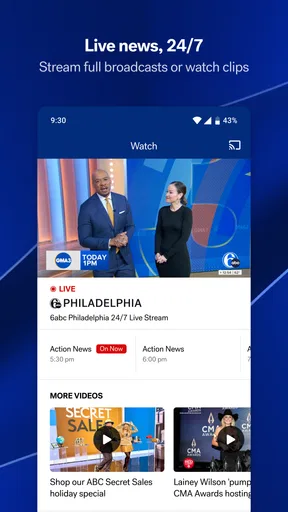
The live stream is most valuable when a story is unfolding and a headline alone feels too thin. I’d use it for a press conference, a major weather event, or a developing local situation where hearing the report directly can add context. For a routine headline, reading is quicker and easier to fit around other tasks. Streaming is a choice for attention, not a reason to leave video running while driving or doing something that needs focus.
That distinction also helps set expectations. A local station app can bring together reporting and broadcast coverage from one Philadelphia-focused source, while a national news app is usually better for a broad view of events across the country and world. I wouldn’t expect one local app to replace every source I use; I’d rely on it for the city and region, then turn elsewhere when the story is outside that scope.
Set alerts around decisions, not every headline
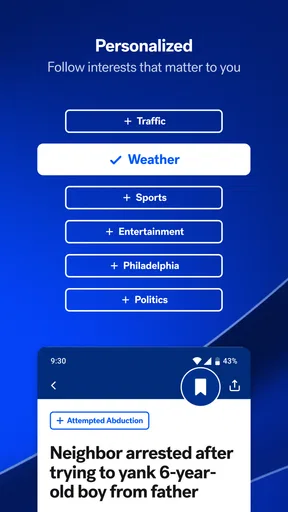
Customizable notifications are easy to overuse. I’d start with the kinds of alerts that can change what I do, such as a serious weather update, rather than switching on every available topic at once. If a notification proves useful over several days, keep it; if it repeatedly interrupts without changing a plan, narrow the selection. This small habit preserves the value of alerts instead of training you to dismiss them.
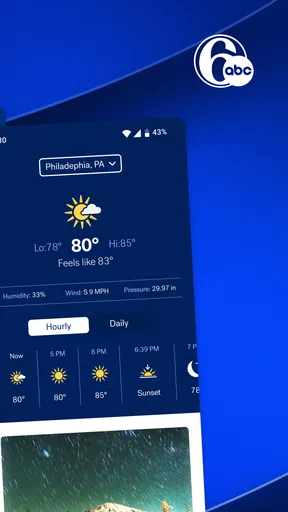
Weather is a particularly good reason to make that choice deliberately. A forecast is not just something to check when a storm is already outside: it can affect whether to leave earlier, carry rain gear, or move an outdoor errand. I’d look at the forecast before the day gets busy, then use the radar when conditions are changing and a broad daily summary is no longer enough. That is a more purposeful workflow than opening the weather section every few minutes.
AccuWeather alerts add another weather-information layer, while the station’s weather coverage offers local reporting and explanation. I’d treat an alert as a prompt to check what is happening, not as a complete account of conditions across every block of the region. When a weather decision has serious consequences, it makes sense to compare current information with official emergency guidance rather than relying on a single phone notification.
Worth Reading Before You Choose

EA SPORTS FC Mobile 26 Is a Bigger Football Game, but It Takes Time

Flipboard Shows What News Apps Must Do Beyond the Feed

Switching to Android Auto Means Rethinking Your Driving Routine

Google Calendar Makes a Crowded Week Easier to Manage

Ludo King Makes the Most of the Minutes Between Plans

Baby Panda World Brings Quick Play to Modern Phones, but Its Game Library Feels Busy
Make repeat visits faster
A practical shortcut is to decide in advance what each visit is for. One pass can be headlines; another can be a forecast check; a third can be a live report or a specific local topic. That simple pattern reduces the temptation to browse every section just because it is there. It also makes the app easier to use in short gaps, such as before leaving home or while waiting for an appointment.
For a commuter, I’d check traffic before setting off, not while already driving. If conditions look difficult, use that information to reconsider departure time or route before the trip begins. The published article describes real-time traffic conditions and alternate-route suggestions, but I would still use a dedicated navigation tool for turn-by-turn directions and active route guidance. News-oriented traffic information can help with awareness; it is not a substitute for safe navigation.
Sports coverage is another reason to make the app a targeted visit rather than a general habit. If I’m following a Philadelphia team, checking a score or schedule is a clear task; I don’t need to open the app repeatedly when there is no new information I’m looking for. The same applies to community coverage: it can surface stories that matter locally even when they are not national headlines, but readers who only want broad breaking news may find that local emphasis more detail than they need.
Who will get the most from it
This app is a natural fit for Philadelphia-area residents who want one familiar place to check local reporting, weather, traffic, sports, and a live broadcast. It can also suit someone who has moved away but still follows the city’s news and teams. The key benefit is not that it covers everything everywhere; it is that several local interests can sit within one station-focused experience.
It is less compelling for someone who wants a highly customizable national news feed, a wide range of international reporting, or a dedicated sports service with deeper team-specific tools. In those cases, a broader news aggregator or a specialist sports app may be a better primary choice. I’d also skip relying on it as my only source during a major emergency: local coverage is valuable, but emergency instructions should be checked through the appropriate official channels as well.
Compared with watching the station on television, the app is easier to check on demand and lets a user move between written updates, weather information, and streaming. Compared with a general news app, its advantage is the Philadelphia focus; the trade-off is a narrower geographic lens. Those are not flaws so much as a choice about what kind of news matters to you. If the city is central to your day, that focus is useful. If not, it may feel limited.
Features That Keep You Hooked
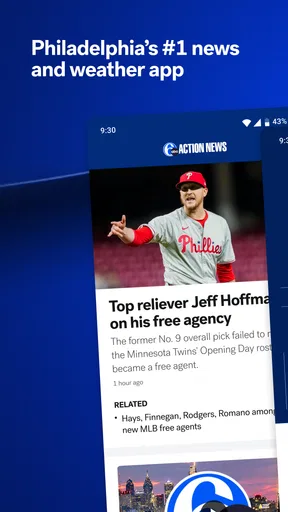
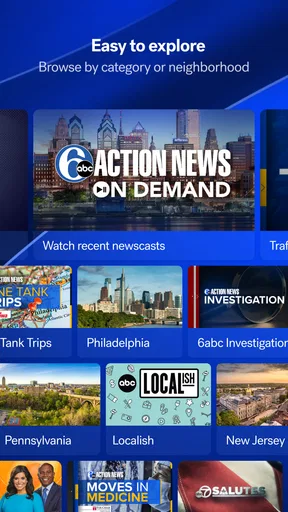
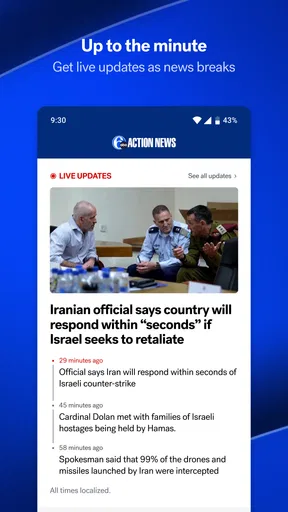
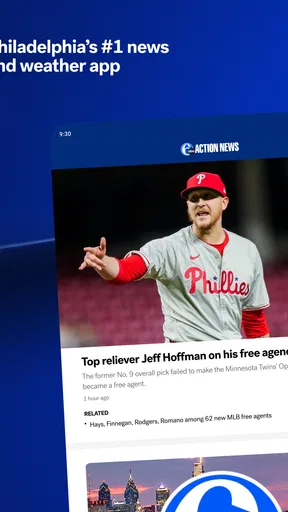
One of the first things you’ll notice about 6abc Philadelphia is its user-friendly interface. It’s designed to make navigation a breeze, even if you’re not tech-savvy. The home screen displays the top stories prominently, so you’re always in the loop with breaking news.
The app offers a variety of sections to explore. You can dive into local news, weather updates, sports, and even traffic reports. What I love most is the live streaming feature that lets you watch the news as it happens. No more waiting for scheduled broadcasts; you can get your news fix anytime, anywhere.
Another neat feature is the ability to customize notifications. You can choose which alerts you want to receive, whether it’s severe weather warnings or updates on your favorite sports teams. This personalization ensures you’re not bombarded with unnecessary information.
The Weather Section: A Game Changer
If you’re like me and constantly checking the weather, you’ll appreciate the detailed forecasts provided by 6abc’s meteorologists. The weather section is comprehensive, offering everything from hourly forecasts to a 7-day outlook. The radar maps are particularly useful, giving you a visual representation of current conditions.
What sets this app apart is the inclusion of videos from the weather team. They break down complex weather patterns in an easy-to-understand manner, which is perfect if you want to know why it’s suddenly snowing in April!
Sports and Entertainment: Stay in the Know
Philadelphia sports fans, rejoice! The app keeps you updated on all your favorite teams, with scores, schedules, and in-depth analysis. Whether you’re a die-hard Eagles fan or rooting for the Phillies, you’ll find everything you need to stay informed.
Entertainment news is also covered extensively. From local events to celebrity gossip, there’s always something interesting to read. The app even includes a section for community news, which highlights stories that might not make it to mainstream media but are just as important.
Traffic Updates: Beat the Rush
Commuting in and around Philadelphia can be a challenge, but with 6abc’s traffic updates, you can plan your route with ease. The app provides real-time traffic conditions and even suggests alternate routes to avoid congestion. Trust me, this feature can be a lifesaver during rush hour.
Why You Should Download It
In a nutshell, 6abc Philadelphia is more than just a news app; it’s a comprehensive platform that keeps you connected to your city. Whether you’re interested in the latest headlines, weather updates, sports scores, or community happenings, this app has it all.
What I find particularly appealing is the app’s commitment to providing accurate and timely information. In today’s fast-paced world, having a reliable source for news is invaluable. Plus, the ability to tailor your experience with customizable alerts means you’re always in control.
So, if you’re a Philadelphian or just someone who wants to keep up with what’s happening in this vibrant city, give the app a try. It’s available for both Android and iOS, and I promise, once you start using it, you’ll wonder how you ever stayed informed without it.
What to expect before making it a habit
6abc is a free news and magazines app from Disney, available to everyone. It has an average rating of 3.9 from around 23,000 ratings, and it has been installed over 500,000 times. Those figures suggest an established audience, though ratings are only a rough signal: whether it suits you depends more on how often you need Philadelphia-specific coverage and whether you prefer reading or watching updates.
For an ordinary weekday, I’d use it in three short visits rather than one long session. Before leaving, check the forecast and traffic; during a break, scan local headlines; in the evening, catch a live report or revisit a story that has developed. That routine keeps the app useful without turning every notification into a reason to stop what you are doing. If you live outside the area, the same approach works when following a family, a team, or a community in Philadelphia, but the local focus will matter less if you rarely need those updates.
The main limitation is also its defining choice: the app is centered on one city and its surrounding region. A major national story may appear, but I would not use this as my complete picture of world events. Likewise, someone seeking detailed route planning should keep a navigation app handy, and someone who wants extensive league-wide analysis may prefer a dedicated sports source. I see it as a local companion, not a universal replacement for every information app.
My practical recommendation is to begin with the sections you genuinely need, then make a second visit after a few days to adjust your notification choices. Keep alerts that help you make a timely decision, and turn off the ones that merely repeat things you would check anyway. With that modest setup, the app’s mix of station coverage, weather, and Philadelphia topics is easier to use on your terms. For someone who wants a dependable local check-in rather than an all-purpose news feed, it earns a place on the phone.
Pros
- User-friendly interface with intuitive navigation.
- Timely and reliable local news updates.
- Customizable notifications for breaking news.
- Live streaming for on-the-go viewing.
- Comprehensive weather forecasts included.
Cons
- Limited national and international news coverage.
- Occasional ads can disrupt the experience.
- Requires a stable internet connection.
- Some features locked behind registration.
- Video playback may lag on older devices.
FAQs for 6abc Philadelphia
What features does the 6abc Philadelphia app offer?
The 6abc Philadelphia app provides a comprehensive suite of features including up-to-the-minute breaking news, live video streams, weather updates, and traffic reports. Users can also access local news stories, sports highlights, and community events. Customizable notifications ensure you never miss important updates relevant to your location.
Is the 6abc Philadelphia app free to use?
Yes, the 6abc Philadelphia app is completely free to download and use on both Android and iOS devices. While it offers a wide range of features at no cost, some content may include advertisements. There are no in-app purchases required to access the primary functionalities of the app.
How reliable are the weather updates on the 6abc Philadelphia app?
The weather updates on the 6abc Philadelphia app are highly reliable, featuring real-time alerts, detailed forecasts, and radar images. The app leverages the expertise of the 6abc AccuWeather team, which is recognized for its accuracy and timely reporting, ensuring users receive precise and actionable weather information.
Does the app support live streaming of news broadcasts?
Yes, the 6abc Philadelphia app supports live streaming of news broadcasts. Users can watch live newscasts directly from their mobile devices, which includes breaking news coverage, special reports, and other live events. This feature ensures you stay informed with real-time updates as they happen.
What are the system requirements for installing the app?
The 6abc Philadelphia app is compatible with both Android and iOS devices. For Android users, the app requires Android version 5.0 or higher, while iOS users need iOS 11.0 or later. Ensuring your device meets these requirements will help guarantee optimal performance and access to all features.


